
Vehicle Inspection
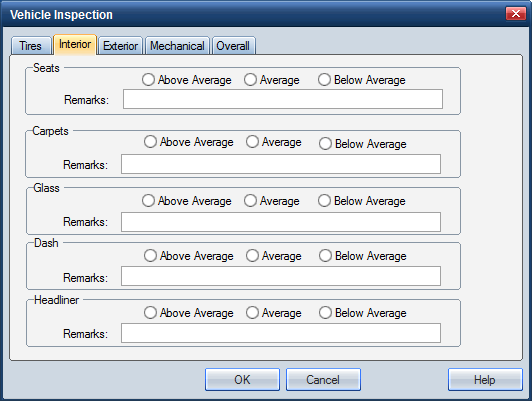
Use the Interior tab on the Vehicle Inspection dialog box to enter information about the condition of the vehicle’s interior:
- Seats
- Carpets
- Glass
- Dash
- Headliner
- Remarks
How to
 Enter interior inspection information
-
On the Estimate menu, click Vehicle Inspection.
-
On the Vehicle Inspection dialog box, click the Interior tab.

- Click the option that most accurately describes the condition of the seats, carpet, glass, dashboard, and headliner
- Use the Remarks fields to enter additional information to support your description if needed.
- Click OK to save the information and return to the .
|
See also: |
