OE Documents
Use the OE Documents tab in an estimate to access manufacturer repair information based on parts you selected. OE repair documentation can include CRIB or service bulletins and repair procedures authored by the manufacturer.
Note: An internet connection is required to view this information.
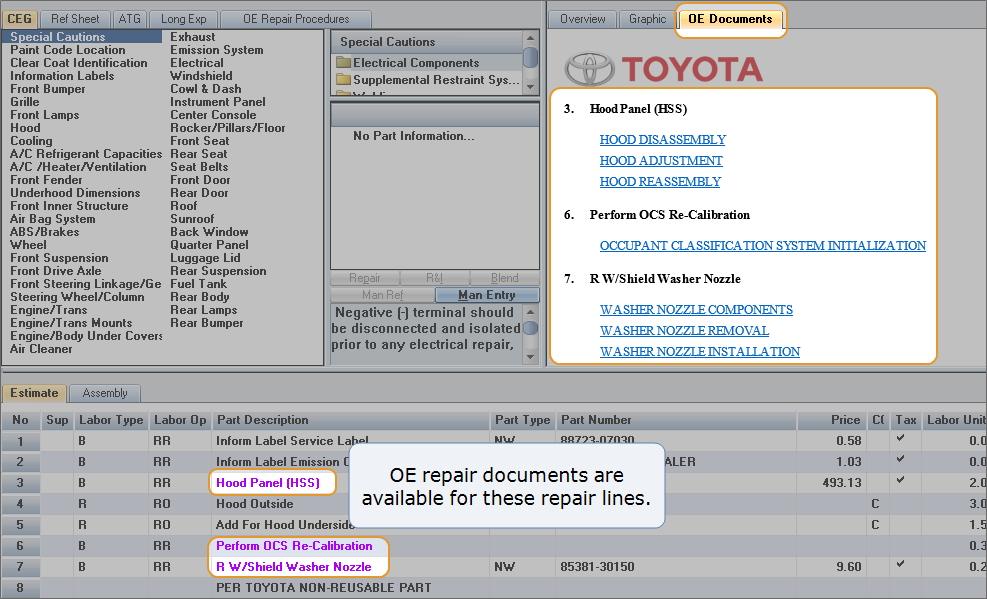
When a repair line has corresponding OE repair documentation, the Part Description field information displays in purple text. The OE Documents tab then displays in the window to the right.
The Part Description information also displays in purple text on the "Flat Car" view.
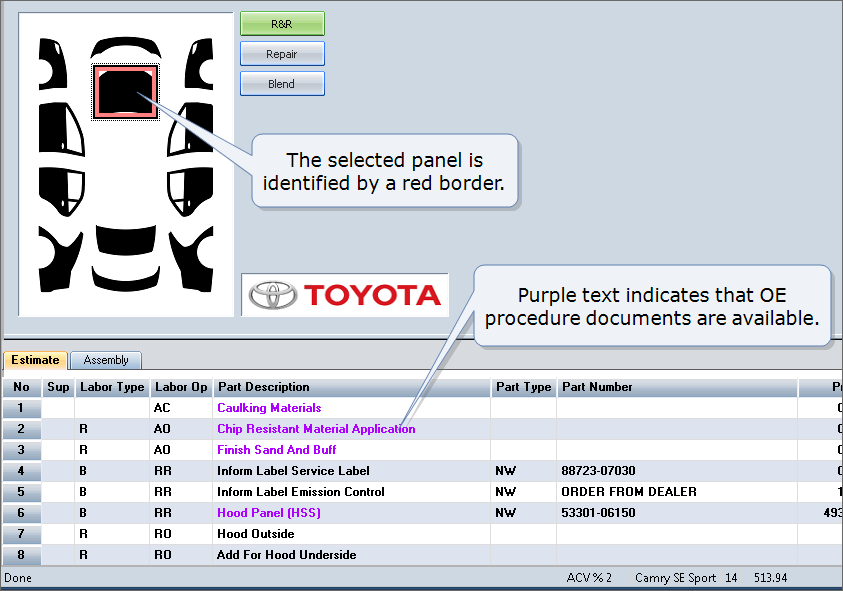
The OE Documents tab displays in the window to the right on this view as well. It contains the same information on the "Flat Car" view that it does when it displays on the CEG tab.
Note: The OE Documents tab displays only if there is corresponding OE repair documentation.
How to
 View OE Documents
-
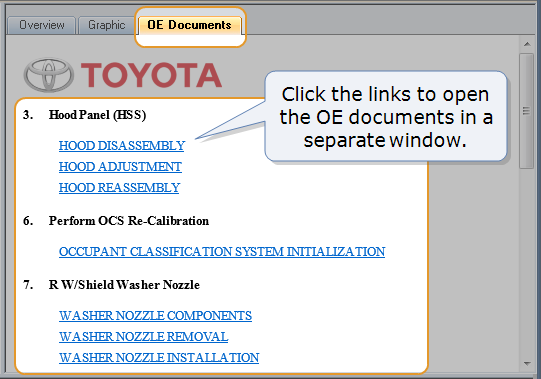
Click the OE Documents tab to see a list of repair documents from the manufacturer.
Note: Documents are numbered based on the individual repair lines they correspond to in the estimate.
-
Click a link to open a document in a web browser window.
Note: Each link opens a new browser window.
- In the browser window, save, print, or email the documents as needed.
