
Configure EMS Import and Export Paths
Use the EMS Import/Export settings to set up automatic import and export of EMS files.
You can exchange administrative data, estimate data, supplement information, part price updates
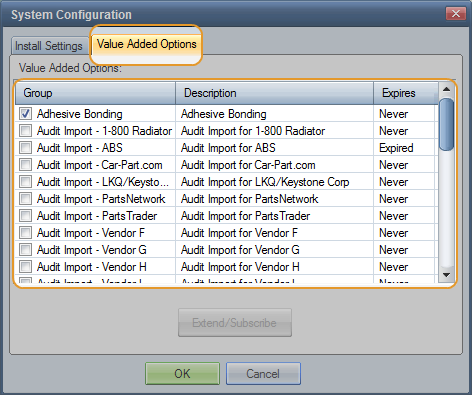
Tip: Activate EMS before configuring EMS export and import paths.  Learn how.
How to
Access EMS Import and Export preferences
- On the System Info menu
-
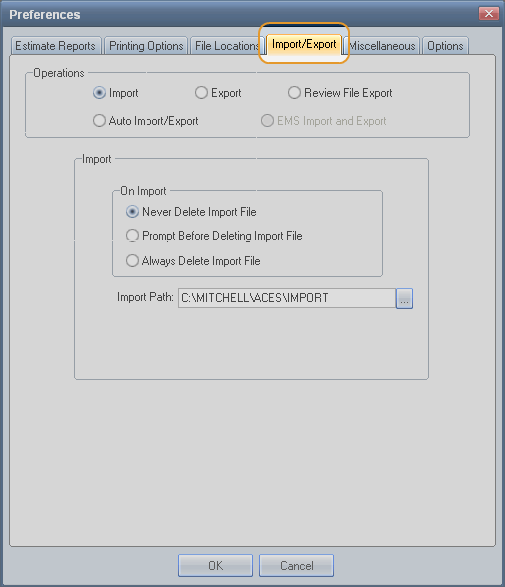
On the Preferences dialog box,click the Import/Export tab.

-
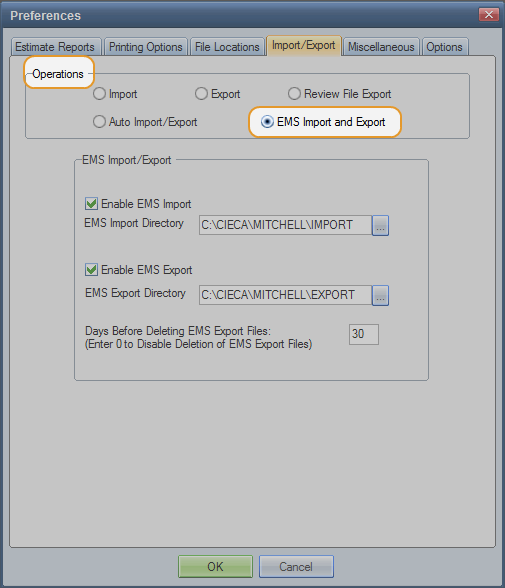
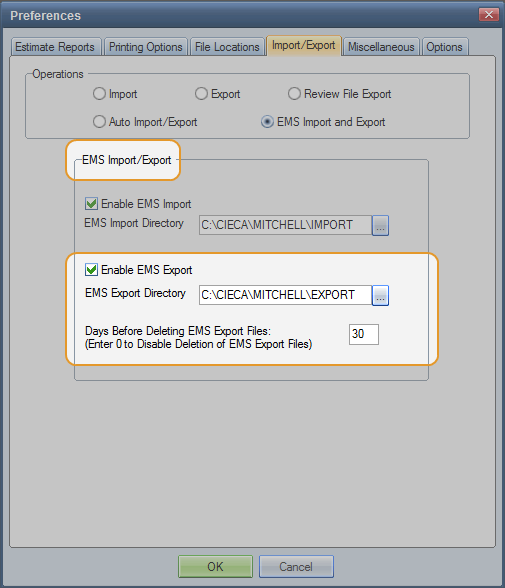
Under Operations, click the EMS Import and Export option.

 Configure EMS Import and Export paths
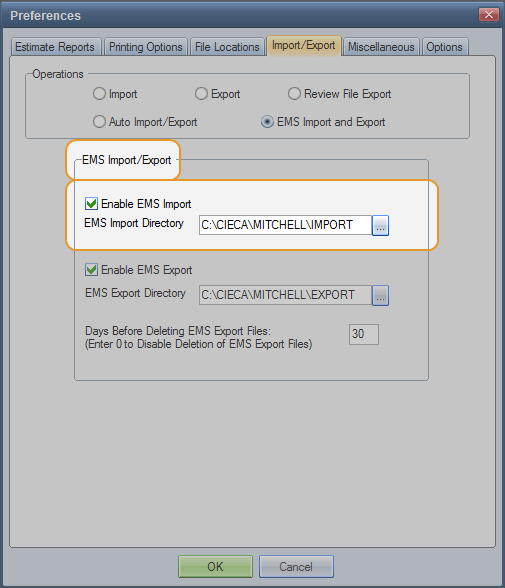
- To automatically import EMS data, select the Enable EMS Import check box. (Clear the check box to disable automatic import.)

-
Review the path to the EMS Import Directory. The default is C:\CIECA\MITCHELL\IMPORT. This is where files to be imported are located.
Note: The system automatically creates an ASSIGN folder in the IMPORT folder to hold Assignment files. Do not delete, rename, or change the location of this folder.
-
To automatically export EMS data, select the Enable EMS Export check box. (Clear the check box to disable automatic export.)

-
Enter the path to the EMS Export Directory if needed. The default is C:\CIECA\MITCHELL\EXPORT. This is where you want to export the files.
Note: Be sure the Import and Export directories are not the same.
-
Enter the number of Days you want to hold the files before they are deleted. Enter 0 (zero) to keep files indefinitely.
Reference
Window Components – EMS Import and Export preference settings
|
Enable EMS Import |
Select this check box to automatically read EMS import files generated by an EMS-compliant management system. |
|
EMS Import Directory |
Identify the directory where files to be imported are located. The default is C:\CIECA\MITCHELL\IMPORT. Note: The system automatically creates an ASSIGN folder in the IMPORT folder to hold Assignment files. Do not delete, rename, or change the location of this folder. |
|
Enable EMS Export |
Select this check box to generate EMS export files for EMS-compliant management systems. |
|
EMS Export Directory |
Identify the directory where you want to export the files. The default is C:\CIECA\MITCHELL\EXPORT. |
|
Days Before Deleting EMS Export Files (Enter 0 to Disable Deletion of EMS Export Files) |
Enter the number of days you want to keep export files before they are automatically deleted. The default is 30 days. Enter 0 (zero) to keep files indefinitely. Note: The system deletes files when you start your computer. Note: If you already have Mitchell Estimating installed, the default is 0 to avoid deleting existing files. These settings are specific to the workstation. In a multiuser environment, users might share a common EMS export path on the server. If more than one user attempts to delete the same EMS files, the system accepts the delete commands as one. It does not generate an error or alert the user. |
|
See also: |
