
Use Review File Export settings to export MIE, PDF, or EMS files.
You can specify whether files are exported on demand (from the estimate toolbar), when the estimate is committed, or both.
When you use this setting, the Export Review Files command is available on the File menu in the estimate.
How to
 Access Review File Export preferences
- On the System Info menu
-
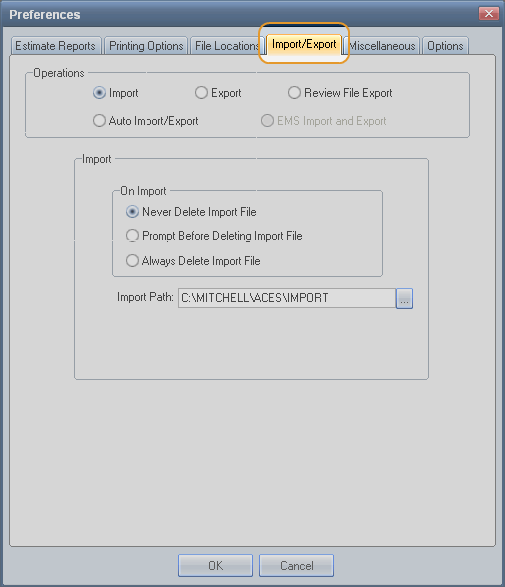
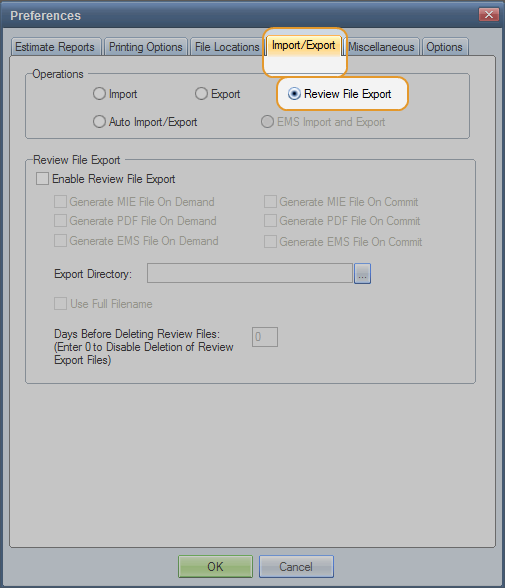
On the Preferences dialog box,click the Import/Export tab.

-
Click the Review File Export option.

 Set Review File Export preferences
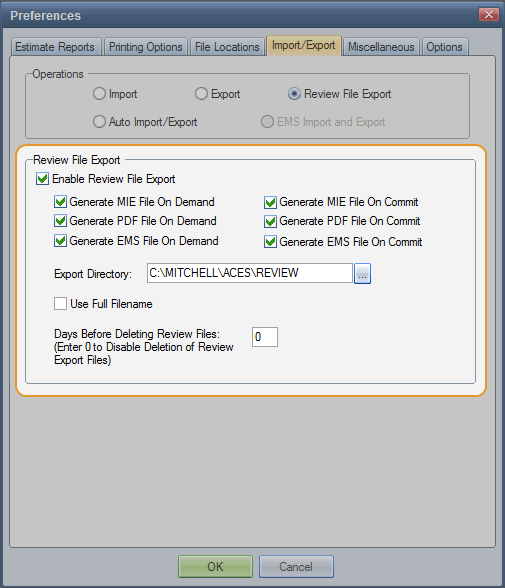
- Under Review File Export, select the Enable Review File Export check box.

- Select the check boxes for On Demand and On Commit.
- Enter or browse to the Export Directory. The default is C:\MITCHELL\ACES\REVIEW. This is where you want to export the files.
- Select the Use Full Filename check box as needed. (Clear the check box to limit file names to eight characters.)
- Enter the number of Days you want to hold the files before they are deleted. Enter 0 (zero) to keep files indefinitely.
Reference
Window Components – Review File Export preferences
|
Enable Review File Export |
Select this check box to activate the Review File Export settings. You can use these settings to generate MIE, PDF, or EMS files on demand or when an estimate is committed. |
|
Generate MIE/PDF/EMS Files on Demand |
Select the check boxes to export estimate review files when you click Commit > Export on the estimating toolbar. The MIE, PDF, and EMS check boxes are selected by default. You must calculate and save the estimate, but you don't need to commit it. Note: If the export option is inactive (dimmed), calculate and save the estimate. |
|
Generate MIE/PDF/EMS Files on Commit |
Select the check boxes to export estimate review files when you commit the estimate. The MIE, PDF, and EMS check boxes are not selected by default. |
|
Export Directory |
Identify the directory where you want to export the files. The default is C:\MITCHELL\ACES\REVIEW. (EMS files are stored in an EMS folder.) The directory retains one set of files per estimate. New files overwrite existing files. Note: A prompt appears when you leave the Import/Export tab to confirm that you want to create a directory. |
|
Use Full Filename |
Select this check box to use the entire estimate ID as the file name. Clear this check box to limit the file name to eight characters. Note: EMS file names are limited to seven characters. |
|
Days Before Deleting Export File (Enter 0 to Disable Deletion of Export Files) |
Enter the number of days you want to keep export files before they are automatically deleted. Enter 0 (zero) to keep files indefinitely. Note: The system deletes files when you start your computer. |
|
See also: |
