
Options Preferences
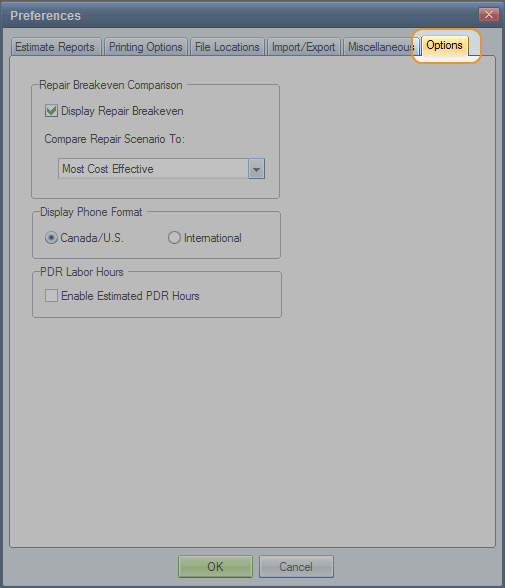
Use the Options preferences tab to configure the Part Detail dialog box to show or hide Repair Breakeven information.
Repair Breakeven information compares the number of labor hours to repair a part to the cost of replacing it with a recycled part. This information helps you decide early in the estimating process whether to repair the part or replace it.
Note: The Repair Breakeven comparison does not include refinish costs.
How to
 Access the Options tab
- On the System Info menu
- On the Preferences dialog box, click the Options tab.

 Configure Repair Breakeven Comparison preferences
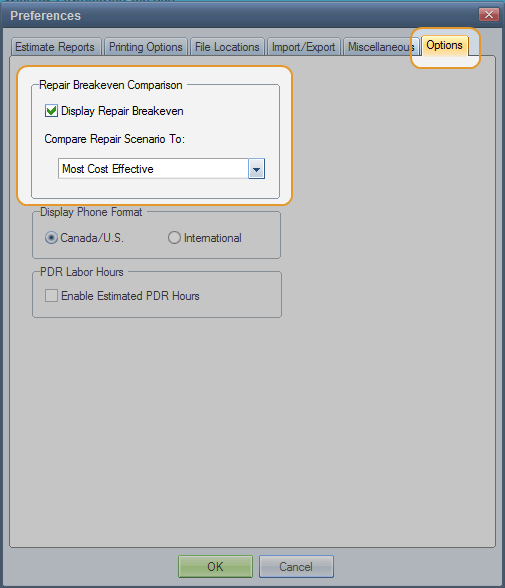
- Under Repair Breakeven Comparison, select the Display Repair Breakeven check box.
- In the Compare Repair Scenario to list, select the part category you want to use as a comparison on the Part Detail dialog box.
Reference
Window Components – Options preferences tab
|
Select this check box to display the repair break-even information on the Part Detail dialog box. (Selected by default.) This information helps you decide early in the estimating process whether to repair the part or replace it. |
|
|
Select which part type to use in the repair versus replace comparison:
Note: If no aftermarket/remanufactured parts exist for the selected part, the system uses OE New for the comparison on the Part Detail dialog box.
The default is Most Cost Effective. Note: This setting does not affect the normal estimate calculation. |
|
|
Note: These settings apply globally in a multiuser environment. |
|
|
Select to display phone numbers in North American (Canada/U.S.) or International format. |
|
|
Enable Estimated PDR Hours Select this check box to automatically estimate labor hours from the PDR (paintless dent repair) repair cost, based on labor rates entered in the profile. The system automatically updates the estimated labor hours when labor rates in the profile are changed. The default labor type for this type of repair line is Body. The labor hours print with other Body labor hours in the Labor Hours section of the printed estimate. This setting is exported and imported with System Configuration Export/Import. The default is for this check box to not be selected. PDR is a value-added option. To purchase and activate the option, contact your Mitchell representative. Note: This functionality does not apply to estimates with PDR lines added before this option is enabled. |
|
|
See also: |
