
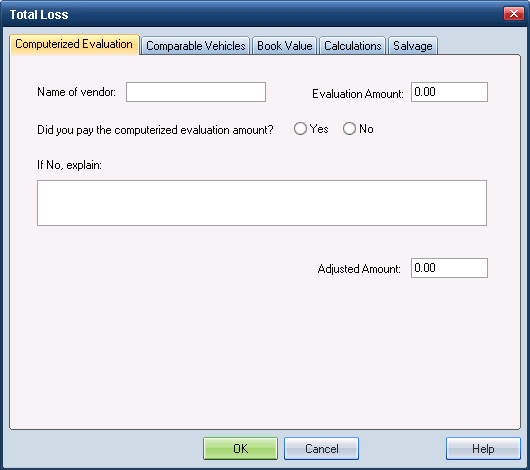
Use the Computerized Evaluation tab on the Total Loss dialog box to calculate an adjusted evaluation amount using the value generated by the ACV vendor.
Reference
 Window Components – Computerized Evaluation tab
|
Name of Vendor |
The name of the source of ACV. For example, Mitchell ValueMate. |
|
Evaluation Amount |
The dollar amount of the vehicle’s value generated by the ACV vendor. |
|
Did you pay... |
This is a Yes/No field that indicates whether the evaluation amount was paid or not paid. |
|
If No, explain |
Use this field to describe any adjustments made to the evaluation amount. |
|
Adjusted Amount |
This is the Evaluation Amount minus any adjustments as described in the Explanation field. |
|
See also: |
