
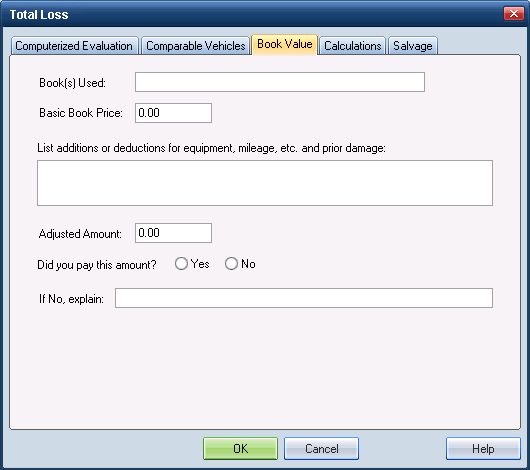
Use the Book Value tab on the Total Loss dialog box to enter the vehicle’s value information according to the specific guide book, such as NADA or RedBook.
Reference
 Window Components – Book Value tab
|
Book(s) Used |
The List guide book(s) used to determine the vehicle’s actual cash value. |
|
Basic Book Price |
This is the vehicle’s base price as listed in the guide book. |
|
List additions... |
Use this field to list and describe any positive or negative adjustments according to the guide book used for ACV. |
|
Adjusted Amount |
This is the vehicle’s basic book price plus/minus additions/deductions. You must enter the adjusted amount. |
|
Did you pay... |
This Yes/No field indicates whether or not the adjusted amount was agreed on, as stated in the book used to determine the vehicle’s value. |
|
If No, explain: |
Use this field to explain why the adjusted amount was or was not paid. |
|
See also: |
