
You can set how (or if) import files are deleted. You can also set the import path or use the default path entered by the system.
How to
 Access import preferences
- On the System Info menu
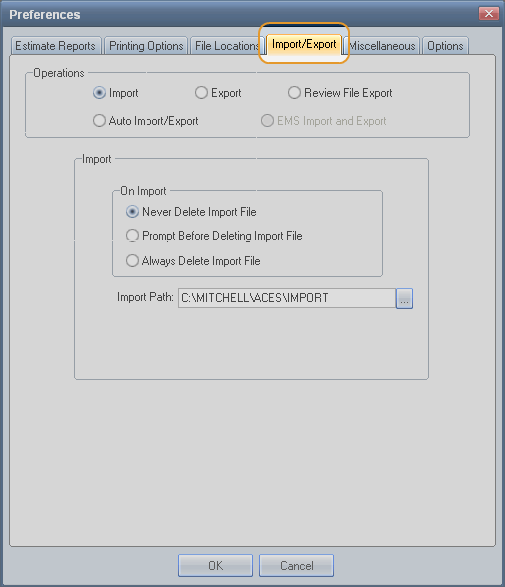
On the Preferences dialog box, click the Import/Export tab.

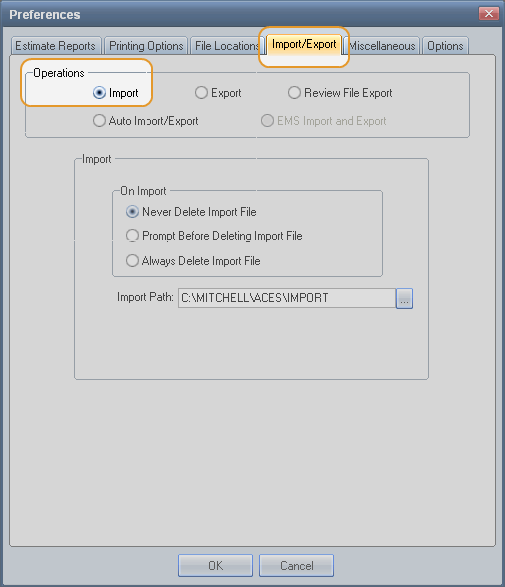
Under Operations, click the Import option.

 Set import preferences
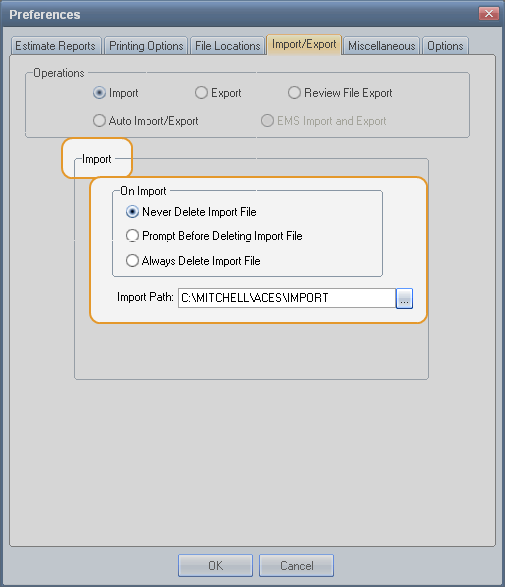
Under Import, select your On Import preference: Never Delete, Prompt Before Delete, or Always Delete. (See Window Components for definitions.)

- Enter the Import Path. The default is C:\MITCHELL\ACES\IMPORT
Reference
Window Components – Import preferencesOn Import | |
Never Delete Import File | Select this option to keep imported files. Note: Remember to delete them regularly to save disk space. |
Prompt Before Deleting Import File | Select this option to receive a prompt before files are deleted. |
Always Delete Import File | Select this option to delete files after they are imported. |
Import Path | Identify the directory where files to be imported are located. The default is C:\MITCHELL\ACES\IMPORT. |
See also: | Manually import and export EMS files |
