
The R&I labor operations needed to refinish and clear coat a major exterior panel are often in different folders in the parts list. For example, to repair a door panel, you need to go to Exterior Trim for the R&I Belt Moulding and then to Hardware for the R&I Lock Cylinder. This example applies to any major exterior panel that includes R&I operations in its parts list subfolders: doors, quarter panels, luggage lids, roofs, lift gates, and the like.
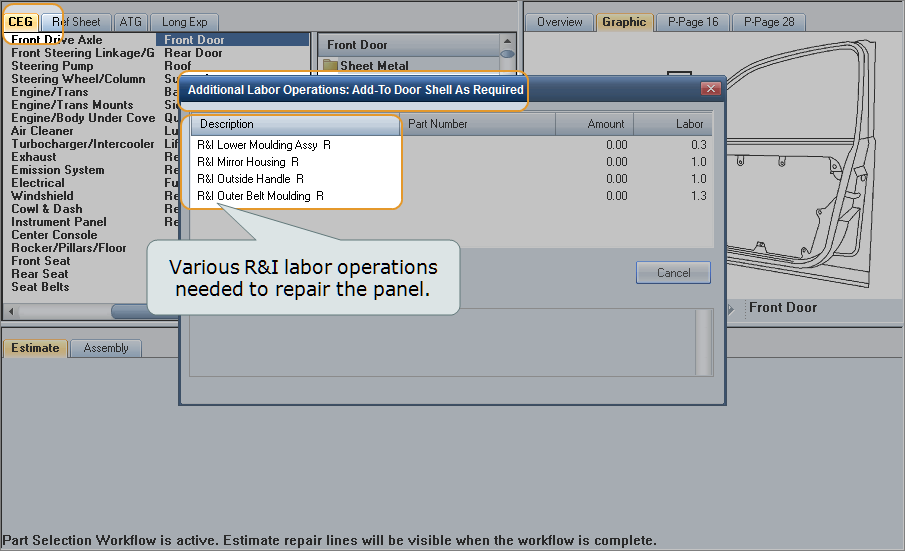
When you select a major exterior panel for repair (one that includes R&I operations), the system displays a list of all the applicable R&I labor operations. You can select what you need and add them to the repair lines all at once.
You can do the same thing for existing repair, refinish, and blend repair lines (lines with labor operations of RP, RO, and BL).
How to
 Add R&I labor for a major panel repair
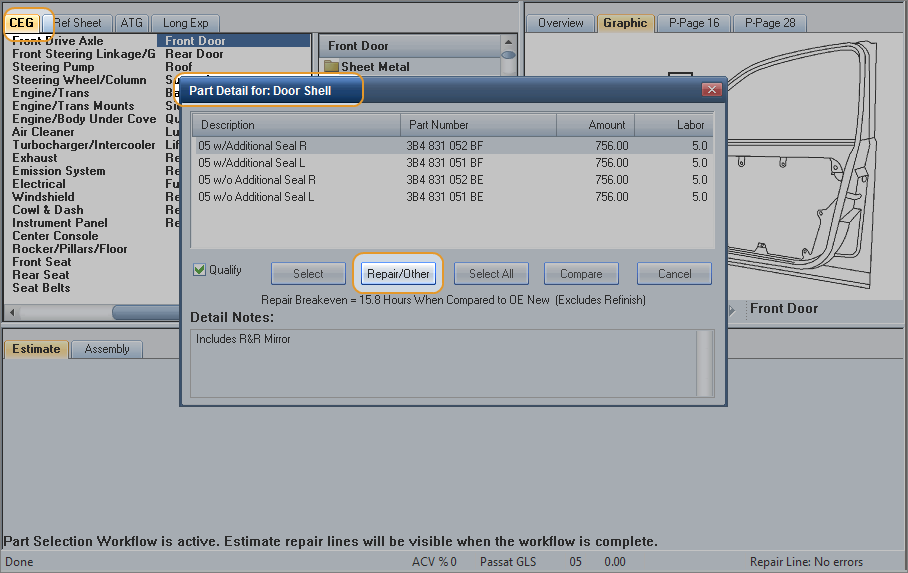
- On the CEG parts list, select a major exterior panel that includes R&I operations in its subfolders.
-
On the Part Detail dialog box, click Repair/Other.

-
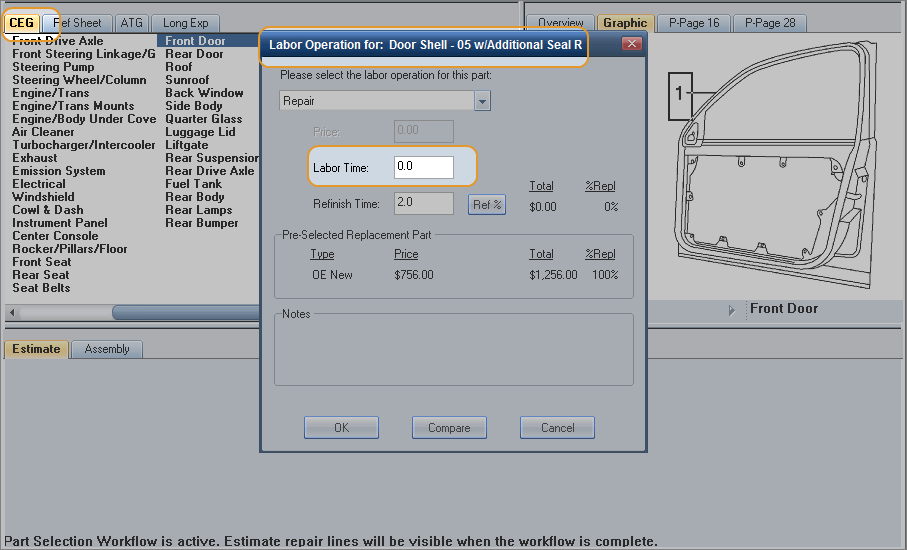
On the Labor Operation dialog box, enter the Labor Time, and click OK.

-
On the Additional Labor Operations Add To dialog box, select the R&I labor operations needed to repair the panel, and click OK. The panel and the related R&I operations are added to the repair lines.

 Add R&I to existing repair lines
- In the repair lines, right-click the RP, RO, or BL repair line for a major exterior panel that includes R&I operations in its subfolders.
- Click Add Add-To Line. The Additional Labor Operations Add To dialog box appears.
- Select the R&I labor operations needed to repair/refinish the panel, and click OK. The related R&I operations are added to the repair lines.
|
See also: |
