
Using MAPP
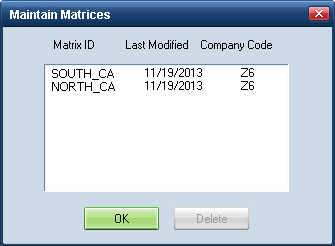
Use the Maintain Matrices dialog box to manage your existing MAPP matrices. You can access the list of your previously downloaded matrices and delete any that have become outdated.
How to
 Access the list of existing matrices
- On the Utilities menu, point to Host Communications, and then click Maintain Matrices.
The Maintain Matrices dialog box appears listing your downloaded matrices.
Delete an existing matrix
- On the Maintain Matrices dialog box, select the matrix you want to delete, and click Delete.
- Click OK to confirm and delete the matrix.
Update existing matrices
- Close any open estimates.
- On the toolbar, click the Call Host button.
Matrices you have already downloaded are automatically updated
|
See also: |
