
Use the Calculations tab in the profile to set up automatic calculations for shop materials.
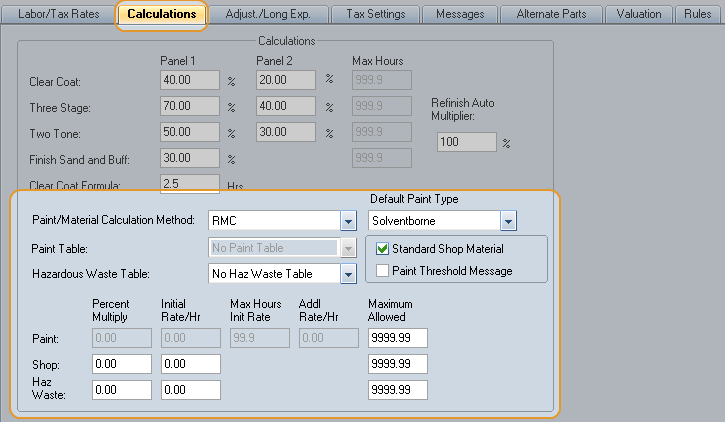
You can calculate shop cost using:
- an hourly rate or a
- a percentage of the total cost (called a "Percent Multiplier")
How to
 Automatically calculate shop materials using an hourly rate
- Open the profile, and click the Calculations tab.
-
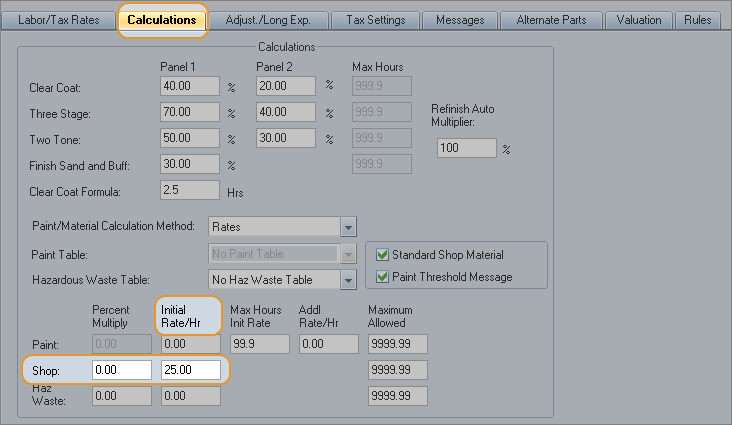
In the Paint/Material Calculation Method list, click Rates.
- In the Initial Rate/Hr box for Shop, enter the dollar amount you want to charge for shop materials.
Automatically calculate shop materials using a percentage
- Open the profile, and click the Calculations tab.
-
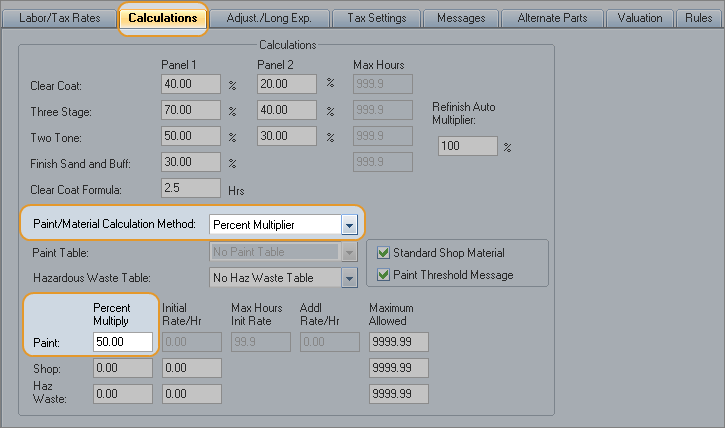
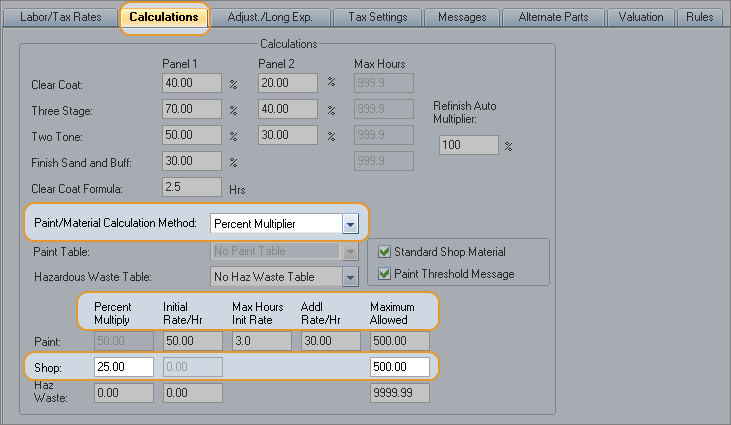
In the Paint/Material Calculation Method list, click Percent Multiplier.
-
In the Percent Multiply box for Paint, enter the percent of the total refinish time you want to be calculated for paint materials.
When the estimate is calculated, the value in the Percent Multiply box is applied to the estimate's total refinish time. The resulting amount of time is charged at the refinish labor rate in the profile.
Reference
Hourly
Rate
The system multiplies the amount in the Initial Rate/Hr box by the total repair and remove/replace hours for panels.
Example
|
Profile Settings |
|
|
Initial Rate/Hr |
$25.00 |
|
Calculation |
|
|
Remove/Replace Hours |
4 hours |
|
4 hours x $25.00 (Initial rate) |
$100.00 |
Percent
Multiplier
When the estimate is calculated, the value in the Percent Multiply box is applied to the estimate's total shop cost.
The value in the Percent Multiply field is applied to the total repair and remove/replace hours for panels, up to a maximum amount.
The rate is the body labor rate set in the Labor/Tax Rates tab.
Example
|
Profile Settings |
|
|
Body labor rate (from the Labor Rates profile tab) |
$50.00 |
|
Percent Multiply value |
25% (entered as "25.00") |
|
Calculation |
|
|
Total labor time for parts |
6 hours |
|
Labor amount (6 hours x $50.00) |
$300.00 |
|
Shop Materials amount (25% x $300.00) |
$75.00 |
|
See also: |
