Automatically Use Alternate Parts
Use Mitchell's Alternate Parts Program (MAPP) to automatically use non-OEM (alternate parts) in your estimates.When you calculate an estimate, the system automatically searches for qualified alternate parts for any OEM parts in the estimate. When qualified alternate parts are found, the system automatically uses those in the estimate instead of the OEM parts.
Note: Alternate parts include Alternate New, Remanufactured, and/or OE Discount parts, as well as Recored, Remanufactured, Rechromed, and alternatives to OEM parts.
How to
 Automatically use alternate parts in your estimate
- Start an estimate using the profile modified to use MAPP.
Add repair lines to your estimate.
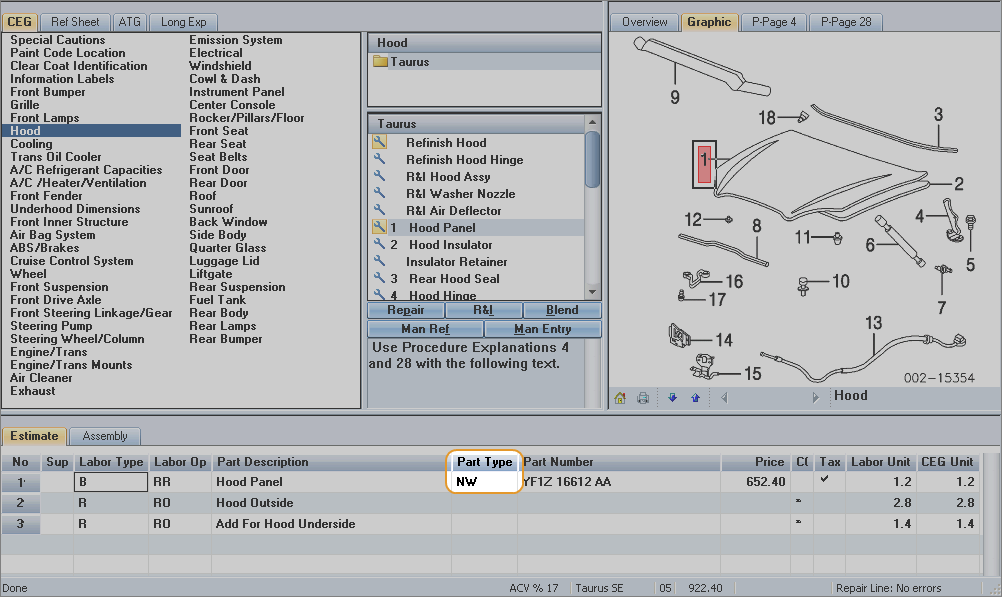
Parts selected from the CEG tab are initially added to the repair lines as OEM parts. The Part Type displays "NW."

Calculate the estimate.
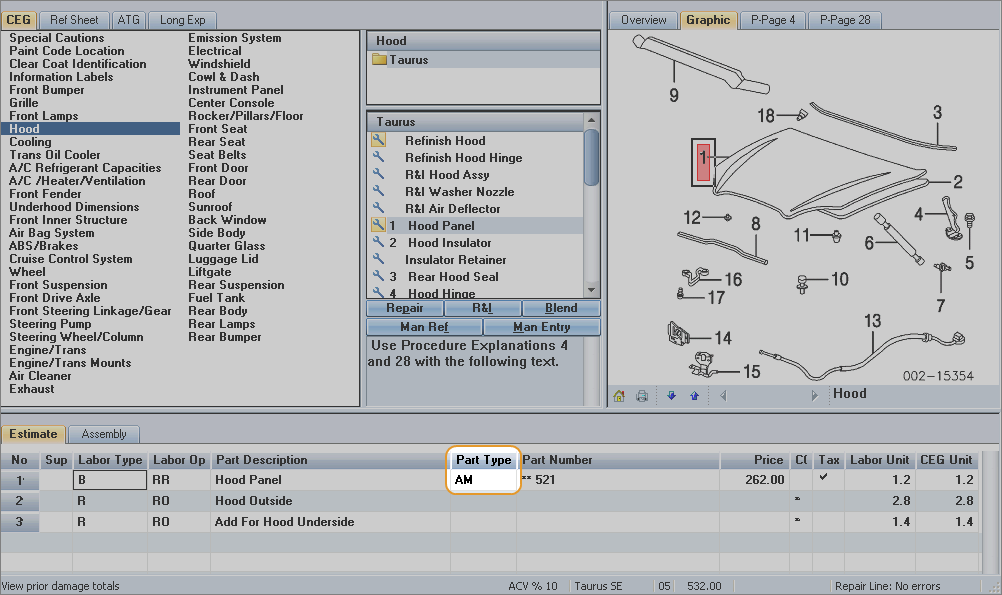
The system uses your MAPP settings to search for qualified alternate parts for any OEM parts in the repair lines. When qualified alternate parts are found, the system automatically uses those in the estimate instead of the OEM parts. The Part Type displays "AM."
See also: |
