
Use the Calculations tab in the profile to set up automatic calculations for paint materials.
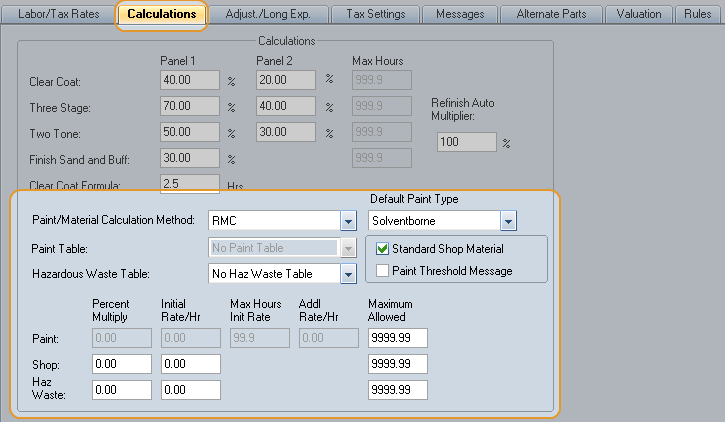
You can calculate paint materials using:
- an hourly rate
- a percentage of refinish time (called a "Percent Multiplier")
- a predefined range of hours and rates (called a "paint table")
- a refinish materials calculator (RMC)
You can also configure a threshold for paint materials calculations and select to display a message in the repair lines when the threshold is exceeded.
Note: The paint materials calculation methods, values, and thresholds appear on the Estimate and Itemized Totals report when an estimate includes refinish labor.
How to
 Calculate paint materials using an hourly rate
- Open the profile, and click the Calculations tab.
-
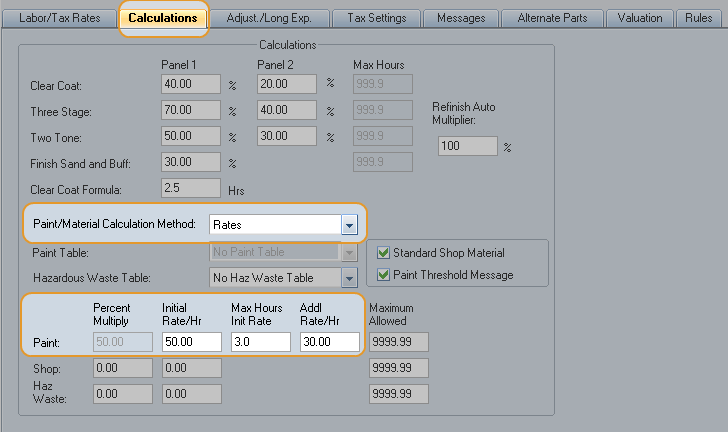
In the Paint/Material Calculation Method list, click Rates.
- In the Initial Rate/Hr box for Paint, enter the dollar amount you want to charge for paint materials.
- In the Max Hours Init Rate box for Paint, enter the maximum number of hours you want to charge at the Initial Rate/Hr.
- In the Addl Rate/Hr box for Paint, enter the dollar amount you want to charge if the refinish time exceeds the Max Hours.
Calculate paint materials using a percentage of refinish time
- Open the profile, and click the Calculations tab.
-
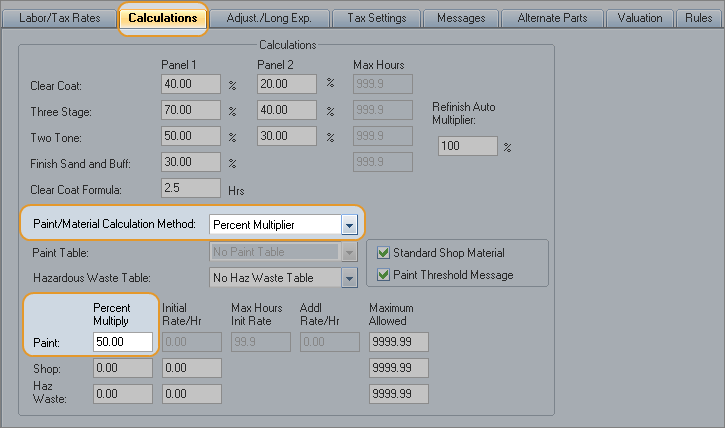
In the Paint/Material Calculation Method list, click Percent Multiplier.
-
In the Percent Multiply box for Paint, enter the percent of the total refinish time you want to be calculated for paint materials.
When the estimate is calculated, the value in the Percent Multiply box is applied to the estimate's total refinish time. The resulting amount of time is charged at the refinish labor rate in the profile.
Calculate paint materials using a paint table
- Open the profile, and click the Calculations tab.
-
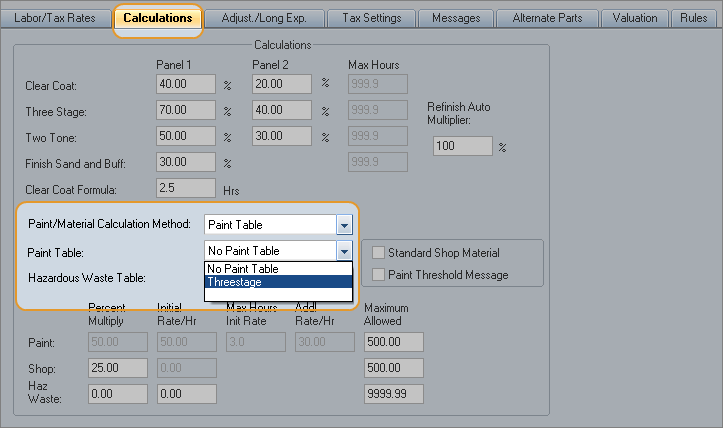
In the Paint/Material Calculation Method list, click Paint Table.
-
In the Paint Table list, click the name of the paint table you want to use.
Note: If the only selection is "No Paint Table," add a paint table (also known as a "system table").
 Calculate paint materials using the Refinish Materials Calculator (RMC)
Note: The Refinish Materials Calculator (RMC) is a value-added option. To purchase and activate the option, contact your Mitchell representative.
- Open the profile, and click the Calculations profile tab.
- In the Paint/Material Calculation Method list, click RMC.
- Select a Default Paint Type.
Reference
Hourly
Rate
The amount in the Initial Rate/Hr field is multiplied by the refinish time on the estimate to calculate a paint materials value. If the refinish time is greater than the Max Hours, the Addl Rate/Hr amount is used for the additional calculation.
Example
|
Settings |
|
|
Initial Rate/Hr |
$50.00 |
|
Max Hours Init Rate |
3 hours |
|
Addl Rate/Hr |
$30.00 |
|
Calculation |
|
|
refinish time |
5 hours |
|
3 hours x $50.00 (Init rate) |
$150.00 |
|
2 hours x $30.00 (Addl rate) |
$60.00 |
Percent
Multiply
The value in the Percent Multiply fields is applied to the estimate's total refinish time to calculate a paint materials value.
The hourly rate comes from the Refinish labor rate set in the Labor/Tax Rates tab.
Example
|
Settings |
|
|
Percent Multiply |
50% (entered as "50.00") |
|
Calculation |
|
|
refinish time |
6 hours |
|
6 hours x 50% |
3 hours |
|
3 hours x $60.00 |
$180.00 |
Paint Threshold Message
You can set a maximum amount of refinish costs. A message displays when that amount is exceeded.
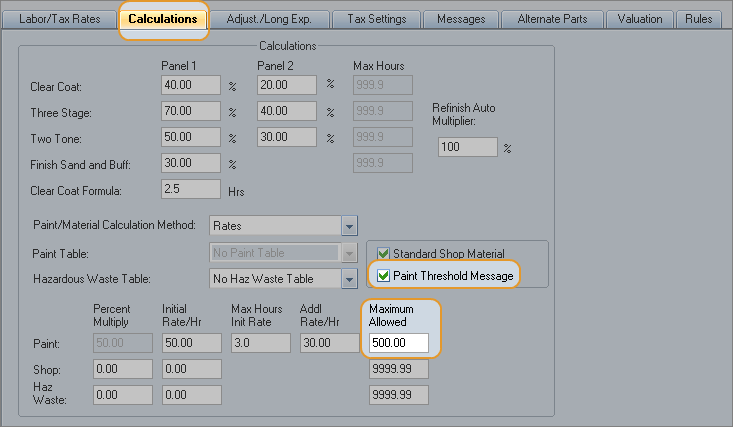
When the calculated paint materials amount exceeds the limit amount, a repair line is automatically added to your estimate with the message:
"Estimate calculated using a preset user threshold amount for paint and materials costs."
|
See also: |
